
Snapshots
A snapshot saves the state of a disk at one moment. You can roll the disk back to that moment later. Take one before a risky change, such as an upgrade.
Snapshots are stored on the same host as the instance. They do not protect you if that host fails. Use backups for that.
| Snapshots | Backups | |
|---|---|---|
| Stored | On the instance’s host | On a separate backup server |
| Restore to | The same instance only | Any instance, or a new one |
| Kept | Until you restore one, delete them, or terminate the instance | By the backup plan, and after termination |
Taking a snapshot
Section titled “Taking a snapshot”- Head over to the instance list and open your instance
- Select the “Snapshots” tab
- Hit “New Snapshot”
- Choose the disk, or leave it empty for the boot disk
- Hit “Finish”
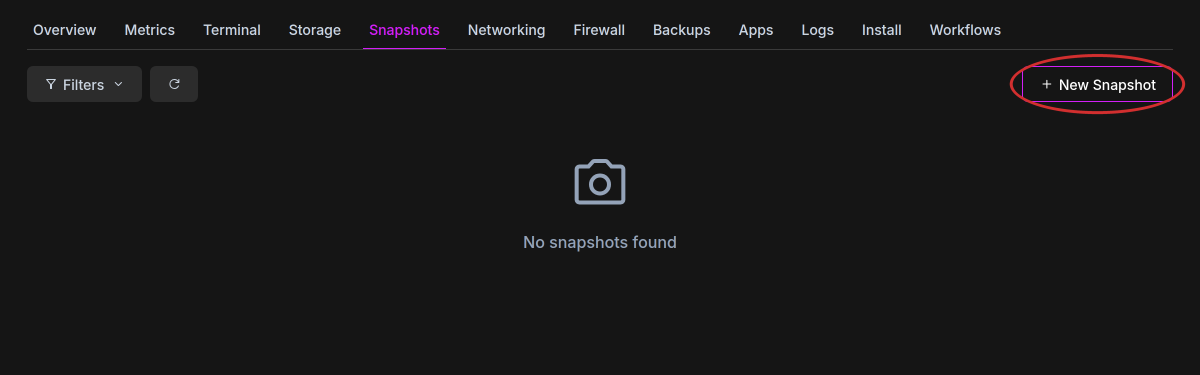
The instance stays online while we take the snapshot.
Restoring a snapshot
Section titled “Restoring a snapshot”- Head over to the instance list and open your instance
- Select the “Snapshots” tab
- Hit “Restore” in the snapshot’s menu
The same list is under “Snapshots” on the “Install” tab.
Deleting a snapshot
Section titled “Deleting a snapshot”- Head over to the instance list and open your instance
- Select the “Snapshots” tab
- Hit “Delete” in the snapshot’s menu
Snapshots are also deleted when you terminate the instance.